
Clone Salesforce Fields is a powerful migSO feature that enables Salesforce administrators and developers to clone custom fields across Salesforce orgs quickly and accurately. It eliminates repetitive manual work by preserving field configurations, data types, relationships, and metadata during cloning. Built as a 100% native Salesforce solution, it provides a secure, no-code approach to metadata management, helping teams save time, maintain consistency, and streamline Salesforce deployments.
- Lakhely Faridabad
- Tőle Faridabad
- Nő
- Követ 3 emberek
Legutóbbi bejegyzések
- Salesforce Metadata is critical in today’s dynamic Salesforce world as it ensures seamless operations. Salesforce metadata refers to a system of labels that provides context and information about data. As enterprises sharply turn towards integrating AI into their CRM, managing metadata has become even more pivotal.
However, many organizations still find themselves struggling with Salesforce metadata management which hinders their ability to leverage the full potential of their CRM systems. This also results in high cost, low efficiency, and increased risk.
Complexities Concerned with Salesforce Metadata Management
Ensuring seamless Salesforce metadata management comes with its fair share of obstacles-
Manual Errors: Managing metadata often involves redundant manual tasks which increases the risk of errors.
Time-Consuming Process: Cloning, Exporting, or managing metadata consumes significant time, resulting in delayed project timelines.
High Cost: Effective metadata management often demands specialized tools and technologies, which can lead to substantial investment.
How migSO Break the Barriers?
Enters migSO, a state-of-the-art app specifically designed to ease Salesforce metadata operations. This true native Salesforce app empowers the admin to seamlessly clone, export, and manage complex metadata items like objects, fields, validation rules, layouts, profiles, etc. It eliminates existing barriers and ensures a streamlined experience for Salesforce users. Here are some top features of migSO that help you ensure next-level efficiency-
Seamless Metadata Cloning
Enterprises must ensure that metadata is accurately cloned across different Salesforce orgs as it helps them maintain consistency. migSO enables the admin to clone configurations while eliminating errors to ensure data integrity. It lets you automate the whole metadata cloning process, thereby reducing manual intervention and speeding up deployment.
Effortless Metadata Exporting
Businesses must export metadata for backup, sharing, or migration purposes. However, the default approach is quite complex. migSO eases things by allowing you to export different metadata items within a few clicks. This native Salesforce app lets you ensure that your data is securely backed up or easily shared with other teams or systems without the hassle of complicated procedures.
Hasslefree Metadata Management
Managing metadata is a complicated task for Salesforce admins. migSO empowers you to efficiently handle this complexity by providing advanced tools and processes that streamline metadata management. It allows you to monitor metadata changes and understand their impact across orgs.
Benefits of using migSO for Smoother Metadata Management
Here are some more reasons to choose migSO for your metadata operations-
Improved Efficiency: migSO automates the whole metadata management process which reduces workloads and saves time.
Next-level Accuracy: migSO offers robust tools to minimize errors and ensure consistent metadata handling.
Better Collaboration: migSO improved team alignment by providing shared access and centralized management.
Scalability: migSO can easily scale to accommodate growing data needs, making it suitable for organizations of all sizes.
Last Verdict
Metadata management doesn’t always have to be irksome. migSO enables organizations to overcome the challenges of metadata management and paves the way for smoother operations. migSO ensures seamless metadata cloning, effortless metadata exporting, and hassle-free metadata management to allow admins to leverage the full potential of their CRM systems.
READ MORE: https://migso.io/our-blog/features-benefits/migso-facilitates-smoother-salesforce-metadata-management/Salesforce Metadata is critical in today’s dynamic Salesforce world as it ensures seamless operations. Salesforce metadata refers to a system of labels that provides context and information about data. As enterprises sharply turn towards integrating AI into their CRM, managing metadata has become even more pivotal. However, many organizations still find themselves struggling with Salesforce metadata management which hinders their ability to leverage the full potential of their CRM systems. This also results in high cost, low efficiency, and increased risk. Complexities Concerned with Salesforce Metadata Management Ensuring seamless Salesforce metadata management comes with its fair share of obstacles- Manual Errors: Managing metadata often involves redundant manual tasks which increases the risk of errors. Time-Consuming Process: Cloning, Exporting, or managing metadata consumes significant time, resulting in delayed project timelines. High Cost: Effective metadata management often demands specialized tools and technologies, which can lead to substantial investment. How migSO Break the Barriers? Enters migSO, a state-of-the-art app specifically designed to ease Salesforce metadata operations. This true native Salesforce app empowers the admin to seamlessly clone, export, and manage complex metadata items like objects, fields, validation rules, layouts, profiles, etc. It eliminates existing barriers and ensures a streamlined experience for Salesforce users. Here are some top features of migSO that help you ensure next-level efficiency- Seamless Metadata Cloning Enterprises must ensure that metadata is accurately cloned across different Salesforce orgs as it helps them maintain consistency. migSO enables the admin to clone configurations while eliminating errors to ensure data integrity. It lets you automate the whole metadata cloning process, thereby reducing manual intervention and speeding up deployment. Effortless Metadata Exporting Businesses must export metadata for backup, sharing, or migration purposes. However, the default approach is quite complex. migSO eases things by allowing you to export different metadata items within a few clicks. This native Salesforce app lets you ensure that your data is securely backed up or easily shared with other teams or systems without the hassle of complicated procedures. Hasslefree Metadata Management Managing metadata is a complicated task for Salesforce admins. migSO empowers you to efficiently handle this complexity by providing advanced tools and processes that streamline metadata management. It allows you to monitor metadata changes and understand their impact across orgs. Benefits of using migSO for Smoother Metadata Management Here are some more reasons to choose migSO for your metadata operations- Improved Efficiency: migSO automates the whole metadata management process which reduces workloads and saves time. Next-level Accuracy: migSO offers robust tools to minimize errors and ensure consistent metadata handling. Better Collaboration: migSO improved team alignment by providing shared access and centralized management. Scalability: migSO can easily scale to accommodate growing data needs, making it suitable for organizations of all sizes. Last Verdict Metadata management doesn’t always have to be irksome. migSO enables organizations to overcome the challenges of metadata management and paves the way for smoother operations. migSO ensures seamless metadata cloning, effortless metadata exporting, and hassle-free metadata management to allow admins to leverage the full potential of their CRM systems. READ MORE: https://migso.io/our-blog/features-benefits/migso-facilitates-smoother-salesforce-metadata-management/0 Hozzászólások 0 Shares - Clone Salesforce Permission Sets: Manual vs. the migSO Approach
Have you ever tried creating permission sets manually for each user across your org? If so, you’re likely familiar with the complexity and time it takes.
However, admins often need to bulk clone permission sets in Salesforce to ensure specific users have the same access to essential apps, fields, objects, and other components. Let’s first go through the issues with the manual approach of recreating permission sets.
Problems with the Manual Process to Recreate Salesforce Permission Sets
The manual process involves recreating each permission set across orgs. The process is somewhat repetitive and time-consuming, especially when you’re dealing with permission sets in bulk.
1. Repetitive Configuration
When a Permission Set needs to be recreated in another org, admins may have to reproduce its configuration and permissions. As the number of Permission Sets increases, so does the amount of repetitive work.
2. Higher Chances of Inconsistencies
Permission Sets can contain multiple types of permissions. When configurations are recreated manually, overlooking a particular permission or setting can result in differences between the source and target orgs. These differences may not always be obvious right away.
3. Tedious Verification Process
Creating the Permission Set is only half the job done. Admins also need confidence that the replicated configuration actually matches what was intended. That means additional checking and validation is required to ensure maximum precision.
4. Complications at Scale
A process that works reasonably well for a single Permission Set may become cumbersome when considering dozens of Permission Sets or multiple Salesforce orgs. The more configurations you manage, the more valuable consistency and repeatability become.
Bulk Clone Permission Sets in Salesforce Made Easy with migSO
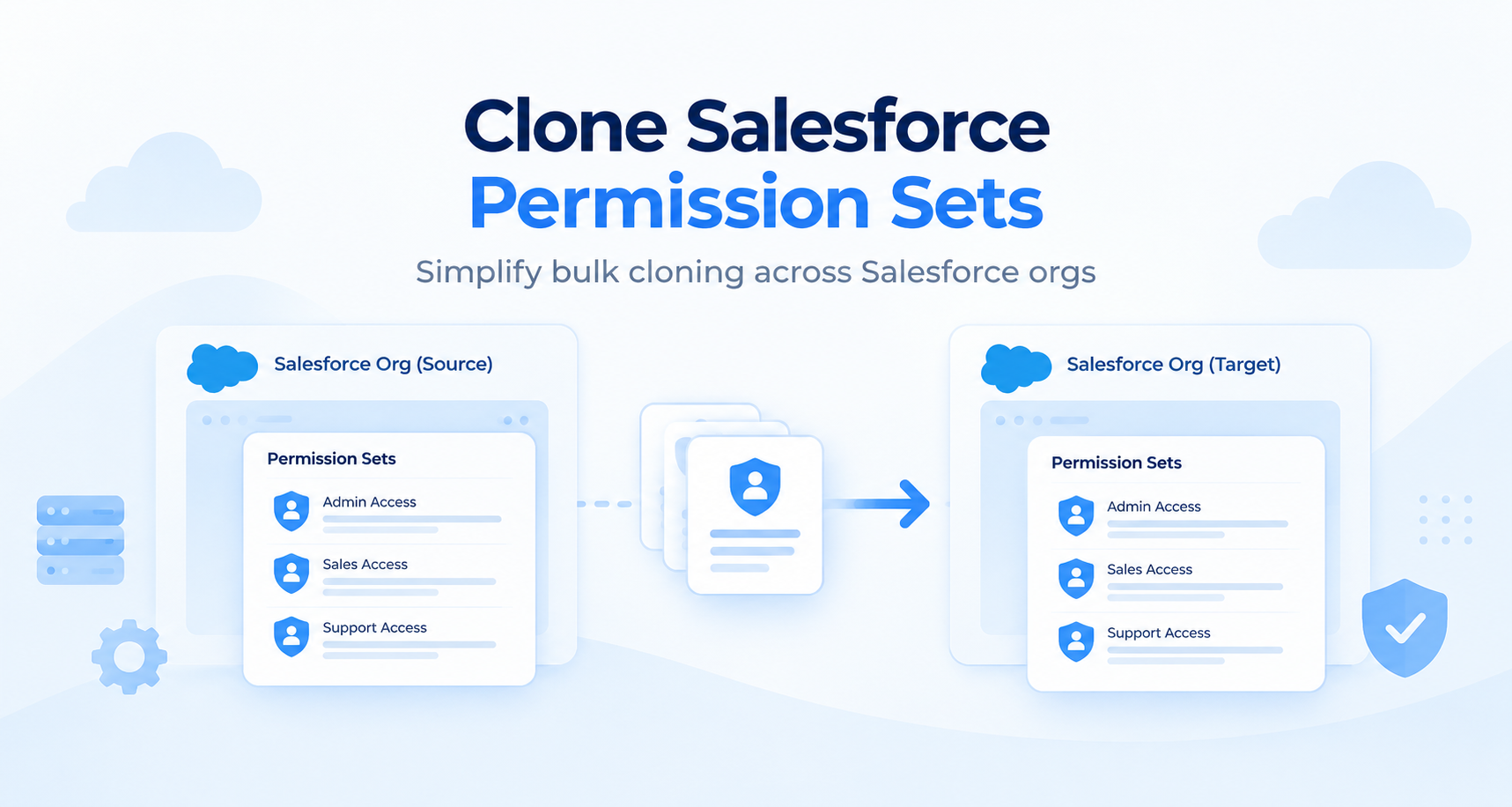
migSO takes a different approach to Salesforce permission set cloning. Instead of treating Permission Set replication as another configuration task, migSO lets Salesforce teams clone Permission Sets in bulk across orgs effortlessly. It saves admins time and reduces the risk of human error. Get ready to streamline permission set cloning and eliminate the problems associated with the manual approach using migSO- the #1 Salesforce Metadata Management app.
Browse our blog to learn the detailed steps for Salesforce Permission Sets Cloning using migSO.
Who Are We?
Tech9logy Creators is a Registered Salesforce Consulting and ISV Partner Company with over 12 years of experience. We have a certified team of developers with extensive knowledge of Salesforce AppExchange and provide you with the best-in-class personalized apps. Our dedicated Salesforce experts help you bring the best out of your CRM and ensure your business operates at its highest potential.
Read More: https://migso.io/our-blog/features-benefits/clone-salesforce-permission-sets-manual-vs-the-migso-approach/
Clone Salesforce Permission Sets: Manual vs. the migSO Approach Have you ever tried creating permission sets manually for each user across your org? If so, you’re likely familiar with the complexity and time it takes. However, admins often need to bulk clone permission sets in Salesforce to ensure specific users have the same access to essential apps, fields, objects, and other components. Let’s first go through the issues with the manual approach of recreating permission sets. Problems with the Manual Process to Recreate Salesforce Permission Sets The manual process involves recreating each permission set across orgs. The process is somewhat repetitive and time-consuming, especially when you’re dealing with permission sets in bulk. 1. Repetitive Configuration When a Permission Set needs to be recreated in another org, admins may have to reproduce its configuration and permissions. As the number of Permission Sets increases, so does the amount of repetitive work. 2. Higher Chances of Inconsistencies Permission Sets can contain multiple types of permissions. When configurations are recreated manually, overlooking a particular permission or setting can result in differences between the source and target orgs. These differences may not always be obvious right away. 3. Tedious Verification Process Creating the Permission Set is only half the job done. Admins also need confidence that the replicated configuration actually matches what was intended. That means additional checking and validation is required to ensure maximum precision. 4. Complications at Scale A process that works reasonably well for a single Permission Set may become cumbersome when considering dozens of Permission Sets or multiple Salesforce orgs. The more configurations you manage, the more valuable consistency and repeatability become. Bulk Clone Permission Sets in Salesforce Made Easy with migSO migSO takes a different approach to Salesforce permission set cloning. Instead of treating Permission Set replication as another configuration task, migSO lets Salesforce teams clone Permission Sets in bulk across orgs effortlessly. It saves admins time and reduces the risk of human error. Get ready to streamline permission set cloning and eliminate the problems associated with the manual approach using migSO- the #1 Salesforce Metadata Management app. Browse our blog to learn the detailed steps for Salesforce Permission Sets Cloning using migSO. Who Are We? Tech9logy Creators is a Registered Salesforce Consulting and ISV Partner Company with over 12 years of experience. We have a certified team of developers with extensive knowledge of Salesforce AppExchange and provide you with the best-in-class personalized apps. Our dedicated Salesforce experts help you bring the best out of your CRM and ensure your business operates at its highest potential. Read More: https://migso.io/our-blog/features-benefits/clone-salesforce-permission-sets-manual-vs-the-migso-approach/0 Hozzászólások 0 Shares - Simplify Salesforce object migration with MigSO, a Salesforce metadata management app that lets you bulk clone Salesforce objects between orgs quickly and efficiently.
URL: https://migso.io/salesforce-clone-metadata/clone-salesforce-objects/Simplify Salesforce object migration with MigSO, a Salesforce metadata management app that lets you bulk clone Salesforce objects between orgs quickly and efficiently. URL: https://migso.io/salesforce-clone-metadata/clone-salesforce-objects/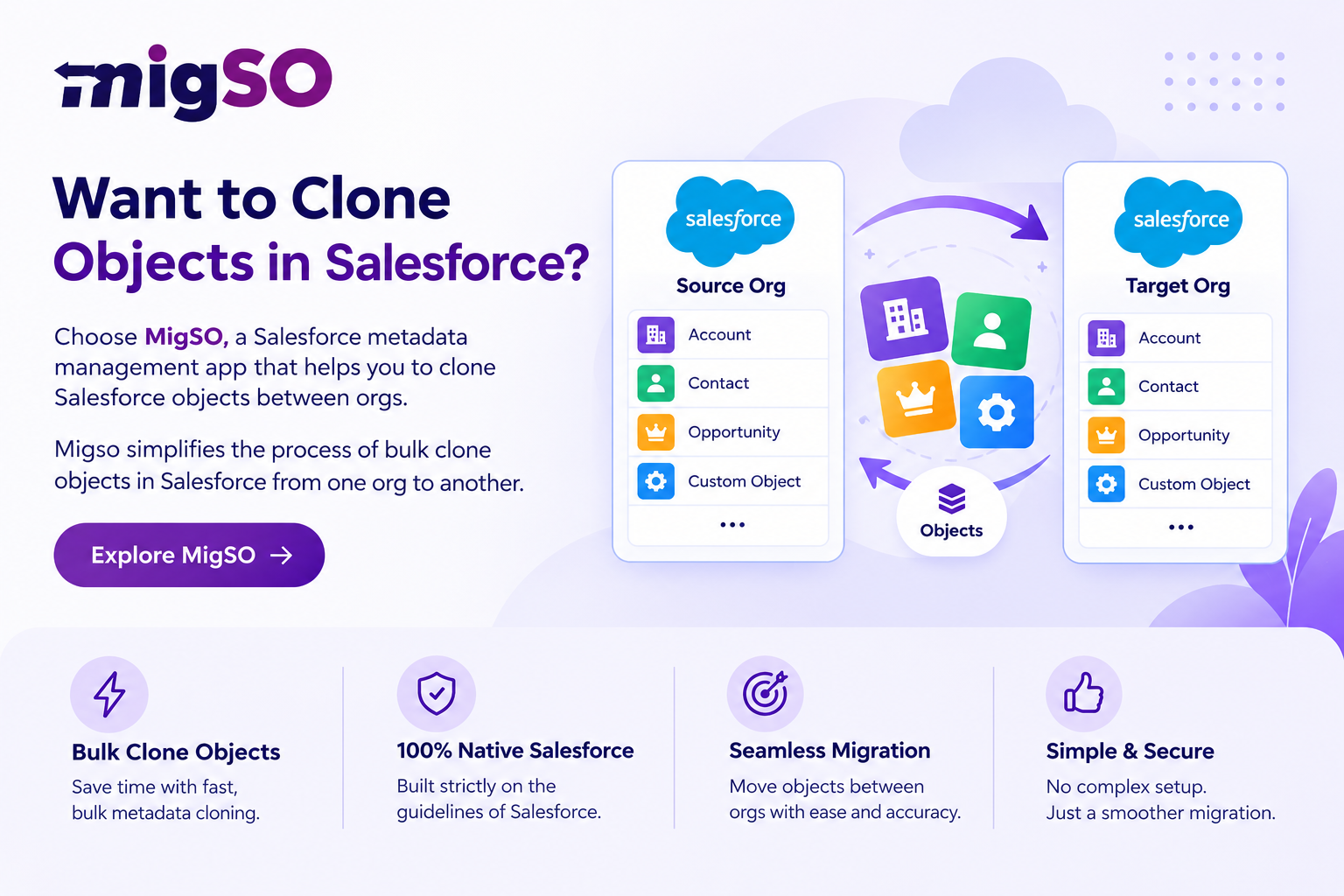 0 Hozzászólások 0 Shares
 - Simplify Salesforce Permission Set management with migSO. Clone Permission Sets in bulk across Salesforce orgs, reduce manual effort, maintain consistent access, and streamline metadata migration.Simplify Salesforce Permission Set management with migSO. Clone Permission Sets in bulk across Salesforce orgs, reduce manual effort, maintain consistent access, and streamline metadata migration.
 0 Hozzászólások 0 Shares
További bejegyzések